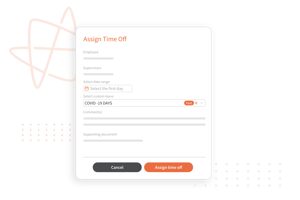

WorkAxle Leave & Absence is a single source of truth for managing employee time off and availability: vacation, sick days, parental leave, comp time, and statutory holidays. Employees request, managers approve, and the same compliance engine that runs scheduling and time governs the entitlements, time-off balances, and blackout periods. No spreadsheet to reconcile. No one guessing who's covered.

Every leave type. Every rule.
Tracked automatically.

Vacation, sick days, parental leave, comp time, across multiple CBAs and jurisdictions, tracked by hand. That is how requests get approved against a balance that's already spent, how a site loses three people to the same blackout week, and how an employee finds out their accrual was wrong on the day they need it. WorkAxle replaces the spreadsheet with a single source of truth: employees self-serve, balances stay current on their own, and every entitlement follows policy and labor law.

The time-off tracking tax.

Tracking that breaks at scale.

An employee emails a request. Someone checks a spreadsheet for the balance. Someone else checks the schedule for coverage. Then the CBA, the statutory holidays, the blackout periods, all by hand, and a calendar update everyone hopes is right.

Run that loop across multiple CBAs and jurisdictions and you get the same three results every cycle: balances that don't match what the system paid out, a compliance exposure nobody can see until an audit, and employees who can't tell you how many days they have left.

A single source of truth.

Employees self-serve time off, leave, and shift-change requests from one place, with their real balances in view. The email chain ends. The guessing ends.

Managers and HR get a real-time view of availabilities, absences, and leave accruals. A coverage gap shows up while the request is still pending, in time to do something about it.

Custom leave policies enforce company rules, collective bargaining agreements, and legal regulations. Entitlements, statutory grants, and blackout periods are applied on their own, per the jurisdiction the employee works in.

→ One source of truth for every leave type, every balance, every jurisdiction.

Leave that enforces itself.

Employees self-serve.

Employees request time off, leave, and shift changes themselves, with their accrual balances and entitlements on screen the moment they ask. Vacation, sick, parental, comp time, and more, each as its own time type.

Policy and accruals are checked automatically.

Every request is validated against the right rules before it ever reaches a manager: accrual balances, custom leave policies, CBA entitlements, and statutory holiday grants.

Conflicts and coverage surface first.

Calendar conflicts, blackout periods, and coverage gaps are flagged before approval, so a yes doesn't quietly leave a site understaffed. Request, approve, and cancel flows keep the trail clean.

Availability updates everywhere.

Once approved, availability, accrual balances, and the schedule update in real time, and the data is ready to flow downstream to time, compliance, and payroll. Nobody re-keys it into a second system.

One module. Every leave scenario.

Capability What it does
Employee self-service Employees take control of their own schedules, time off, leave, and shift-change requests from a single place, with real balances and entitlements in view.
Multi time-types & time banks Vacation, sick, parental leave, comp time, and custom types, each tracked in its own time bank. Time accrues in days or hours toward leaves, and balances stay current as time is earned and taken.
Real-time insights A live view of employee availabilities, absences, and leave accruals, so managers and HR plan against reality instead of a stale spreadsheet.
Legal & CBA compliance Configure custom leave policies that comply with company rules, collective bargaining agreements, and legal regulations. Entitlements follow the jurisdiction automatically.
Statutory holiday auto-grants Statutory and public holidays are granted automatically per policy and location. No manual lookups, no missed entitlements.
Request / approve / cancel flows Clean request, approval, and cancellation workflows with a full trail. Every change to a leave record is tracked.
Calendar conflicts & coverage Blackout periods, calendar conflicts, and coverage gaps surface before approval, so time off never quietly leaves a site short-staffed.
HRIS & payroll integration Integrates with your existing HRIS and payroll solutions. Accrual policies live in your HR system; WorkAxle pulls the balances and keeps leave data in sync across systems.

FMLA leave in the United States: the thresholds the regulation sets.

The Family and Medical Leave Act is administered through 29 CFR Part 825. Four numbers in that part decide who is covered, who is eligible, and how much leave is available. They are reproduced below with their citations so you can check them against your own workforce.

What the regulation sets The text, and where it lives
Which employers are covered An employer covered by FMLA is one who “employs 50 or more employees for each working day during each of 20 or more calendar workweeks in the current or preceding calendar year.” Public agencies and public and private elementary and secondary schools are covered without regard to the number of employees. 29 CFR 825.104(a)
Which employees are eligible Three conditions apply together: employed by the employer for at least 12 months, at least 1,250 hours of service during the 12-month period immediately preceding the leave, and employed at a worksite where 50 or more employees are employed by the employer within 75 miles. 29 CFR 825.110(a)
How much leave 12 workweeks during any 12-month period for the five reasons the section lists. Military caregiver leave is separate: 26 workweeks to care for a covered servicemember with a serious injury or illness, during a single 12-month period. 29 CFR 825.200(a) and 29 CFR 825.127
How the 12 months are measured The employer is permitted to choose any one of four methods: the calendar year; any fixed 12-month leave year, such as a fiscal year or a year starting on an employee’s anniversary date; a 12-month period measured forward from the date an employee’s first FMLA leave begins; or a “rolling” 12-month period measured backward from the date an employee uses any FMLA leave. 29 CFR 825.200(b)

Where the software fits. Which of the four measurement methods applies is a policy your organization sets, not something a system decides for you. WorkAxle holds the policy you record. Each leave type is its own time bank, time accrues in days or hours, and entitlements follow the jurisdiction the employee works in. Request, approval, and cancellation flows keep a full trail on every leave record.

Leave runs on the same rule engine that governs coverage and labor rules, and rules there are effective-dated. When a policy changes, past periods can be recomputed with a before/after audit trail, which is what a records request tends to ask for.

FMLA is federal. State and municipal leave laws sit on top of it and are configured as their own rules, per jurisdiction. Where two rules reach the same decision, the engine surfaces both rather than silently picking one.

Regulation text above is quoted from the eCFR for title 29, shown as current to 14 August 2026 (title 29 last amended 4 August 2026). It is reproduced for reference and is not legal advice. Whether a given employer or employee meets these conditions is a determination for your own counsel.

Why leave is accurate: it runs on the same compliance engine.

So entitlements and blackout periods follow each CBA and labor law on their own, and approved leave flows straight into the rest of the platform the moment it's granted.

Scheduling & Rostering

Approved leave updates availability instantly, the rostering algorithm never assigns someone who's off, and coverage gaps are visible before they become a problem.

→ No one scheduled while on leave

Compliance & Rule Engine

Entitlements, statutory grants, and blackout periods are enforced by the same rule engine that governs scheduling and time, so leave follows every CBA and labor law on its own.

Time & Payroll

Paid and unpaid leave is classified correctly and flows into time and payroll without re-keying, so balances and pay stay consistent across systems.

SAP
Oracle
Workday

Leave also integrates with your existing HRIS and payroll solutions, so WorkAxle runs as the operational layer over the systems you already own. → See the full platform overview

Leave and absence, after WorkAxle.

BalancesIn syncTime banks and accruals pulled from your HR system, in days or hours, always current.
Implementation speed4-5x fasterThan legacy systems, which quote 18 to 24 months.
Collective agreementsMultiple CBAsEnforced as written, side by side, in one deployment.

Your questions, answered.

What types of leave does WorkAxle handle?

All of them. Vacation, sick days, parental leave, comp time, statutory holidays, and custom leave types, each tracked in its own time bank. Time accrues in days or hours toward leaves, and balances stay current as time is earned and taken, so employees and managers always see an accurate number.

Can employees request time off themselves?

Yes. Employee self-service lets staff request time off, leave, and shift changes from a single place, with their real accrual balances and entitlements in view. No email chains, no guessing about what's left.

How does WorkAxle handle collective bargaining agreements and local labor law?

Leave runs on the same compliance engine as scheduling and time. You configure custom leave policies that reflect company rules, CBAs, and legal regulations, and the system applies entitlements, statutory grants, and blackout periods automatically, per jurisdiction, without manual lookups. Accrual balances stay in sync with your HR system.

Can WorkAxle track FMLA leave?

Yes, as a leave type with its own entitlement and its own measurement period. The eligibility conditions in 29 CFR 825.110(a) are 12 months of employment, 1,250 hours of service in the preceding 12 months, and a worksite with 50 or more employees within 75 miles. Which of the four measurement methods in 29 CFR 825.200(b) applies is a policy you set, and WorkAxle holds the policy you record rather than choosing one for you. State and municipal leave laws are configured as separate rules per jurisdiction. Determining whether a given employee qualifies is a matter for your counsel, not for the software.

What stops an approved leave from leaving a site understaffed?

Coverage is checked before approval. Calendar conflicts, blackout periods, and coverage gaps surface at request time, so a manager approves with full visibility, and approved leave updates availability so the rostering algorithm never assigns someone who's off.

Does it integrate with our existing HRIS and payroll?

Yes. WorkAxle integrates with your existing HRIS and payroll solutions, so leave records, balances, and paid/unpaid classification stay in sync across systems instead of living in a separate silo.

Ready to get leave out of spreadsheets?

What does modern leave management actually look like?

How organizations move from spreadsheet-and-email time-off tracking to a single source of truth that enforces its own rules.

See how leave keeps schedules honest.

Approved leave updates availability instantly, walk the link between leave, the rostering algorithm, and coverage.

Bring your messiest leave policy to a 30-minute demo.

The CBA nobody can interpret. The blackout calendar nobody trusts. The jurisdiction that breaks every spreadsheet. Bring it.